One-click screen-to-skin capture
Turn the worldinto your skin.
Frame your character against a surface or image. Meccha Auto Paint translates the visible scene into a calibrated, multi-pass paint run— without making you babysit brush settings.


One-click screen-to-skin capture
Frame your character against a surface or image. Meccha Auto Paint translates the visible scene into a calibrated, multi-pass paint run— without making you babysit brush settings.


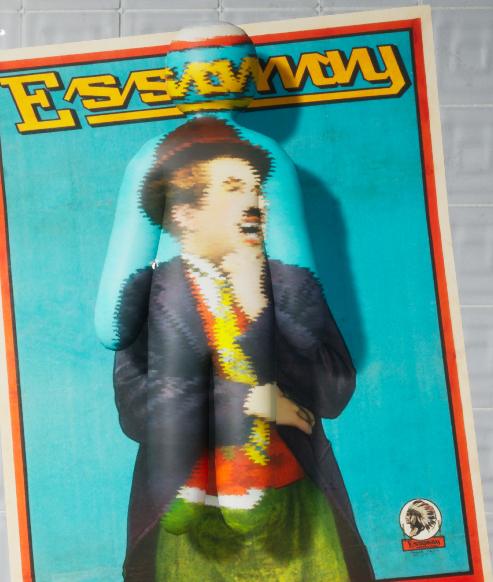
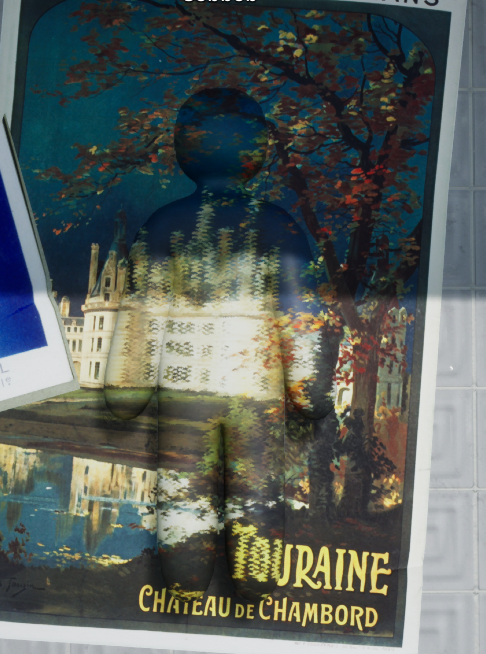
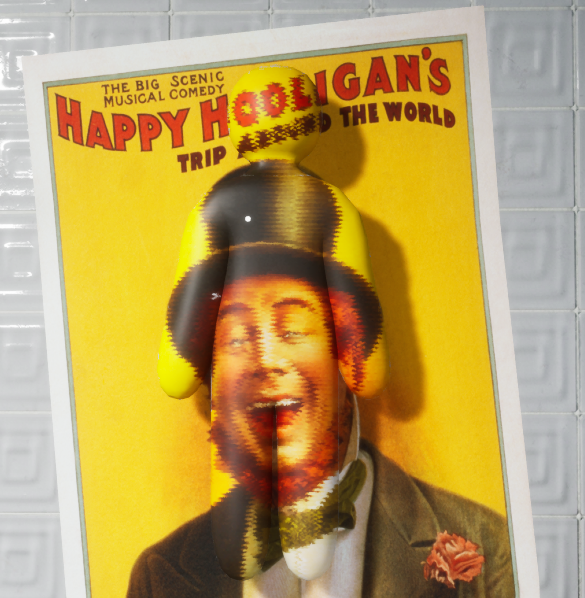
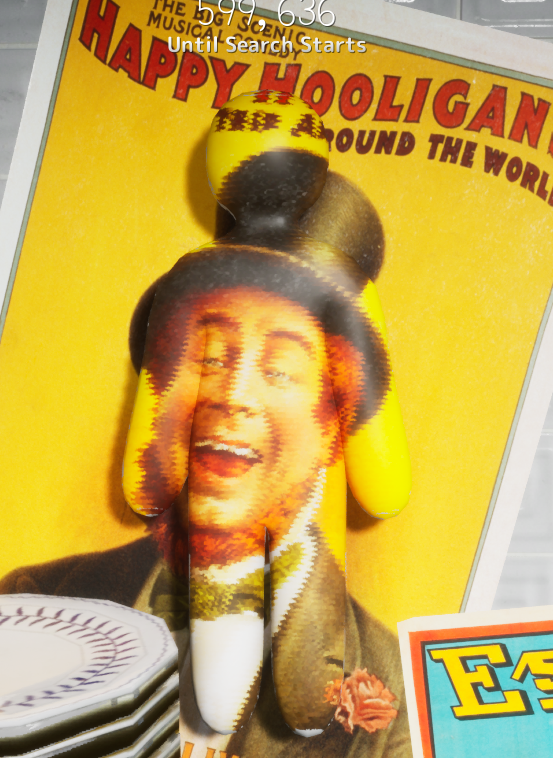
Real in-game paint runs · 001—004
Typography, portraits, foliage, highlights—difficult visual detail carried from the scene onto the character.


The entire workflow
Face your character squarely toward the camera and choose the scene you want to carry.
The system calibrates the brush, secures the camera, and begins the paint sequence.
Detail passes complete in order, then the view releases when queued painting is actually done.
Precision, minus the cockpit
No setup maze between you and the result. Every decision is there to make the picture read better—or to get out of your way.
The paint begins with the view you deliberately frame, so the finished character reads like its source instead of a loose cloud of color.
Calibrated passes preserve contrast, edges, and recognizable forms across the surfaces you actually see on screen.
Brush sizing and stroke scheduling start from the same reliable foundation, with no manual tuning ritual before every run.
Your view stays secured through the active queue, then releases only after the paint sequence has genuinely finished.
Open it.
Press Start Paint.
Let it work.
An honest kind of camouflage
Meccha Auto Paint prioritizes the front and visible surfaces that shape the result on screen. It does not pretend to be a complete hidden-back, 360-degree texture replacement.
Before you paint
The tool stays simple. The expectations should be just as clear.
No. Meccha Auto Paint turns the scene you frame into an automated in-game paint run on your character.
No. The experience is deliberately centered around one Start Paint control. The supported workflow handles brush calibration and paint sequencing.
Face the camera squarely. Standing and prone poses can produce different coverage, so follow the framing guidance included with the current build.
It prioritizes the front and other visible surfaces in the framed view. It is not sold as a complete hidden-back, 360-degree texture replacement.
Game updates can affect compatibility. Supported builds and current requirements are always stated before release or purchase.
It is a one-time purchase and the personal-use license to the delivered software does not expire. It does not promise permanent compatibility with every future Windows or game build, indefinite development, or every future feature.
Digital purchases are generally final except where required by law. A refund may be considered only when a verified technical setup issue prevents use on a supported system and support cannot resolve it after reasonable troubleshooting.
Use Meccha Auto Paint only where modification and automation tools are permitted, and follow the applicable game and server rules.
Purchases opening soon · $14.99 lifetime
Purchases are temporarily closed while final launch and support checks finish. When they open, the one-button workflow shown across this page will be a single $14.99 USD payment—never a subscription.
Game and Windows updates can affect compatibility. Review the currently supported environment and final-sale policy before purchasing.